
Every repo,
right at home.
You've got more Git repositories than ever. Keep them in sight without keeping them all on your Mac. Add a remote or local checkout, browse on demand, and download the projects you need.
Early beta · Build in development · GitHub sign-in optional
A place for your whole catalogue
Keep your projects close.
Keep your disk clear.
Add your repositories.
Start with a Git remote or existing checkout. Connect GitHub if you want to discover your personal and organization repos.
Make yourself at home.
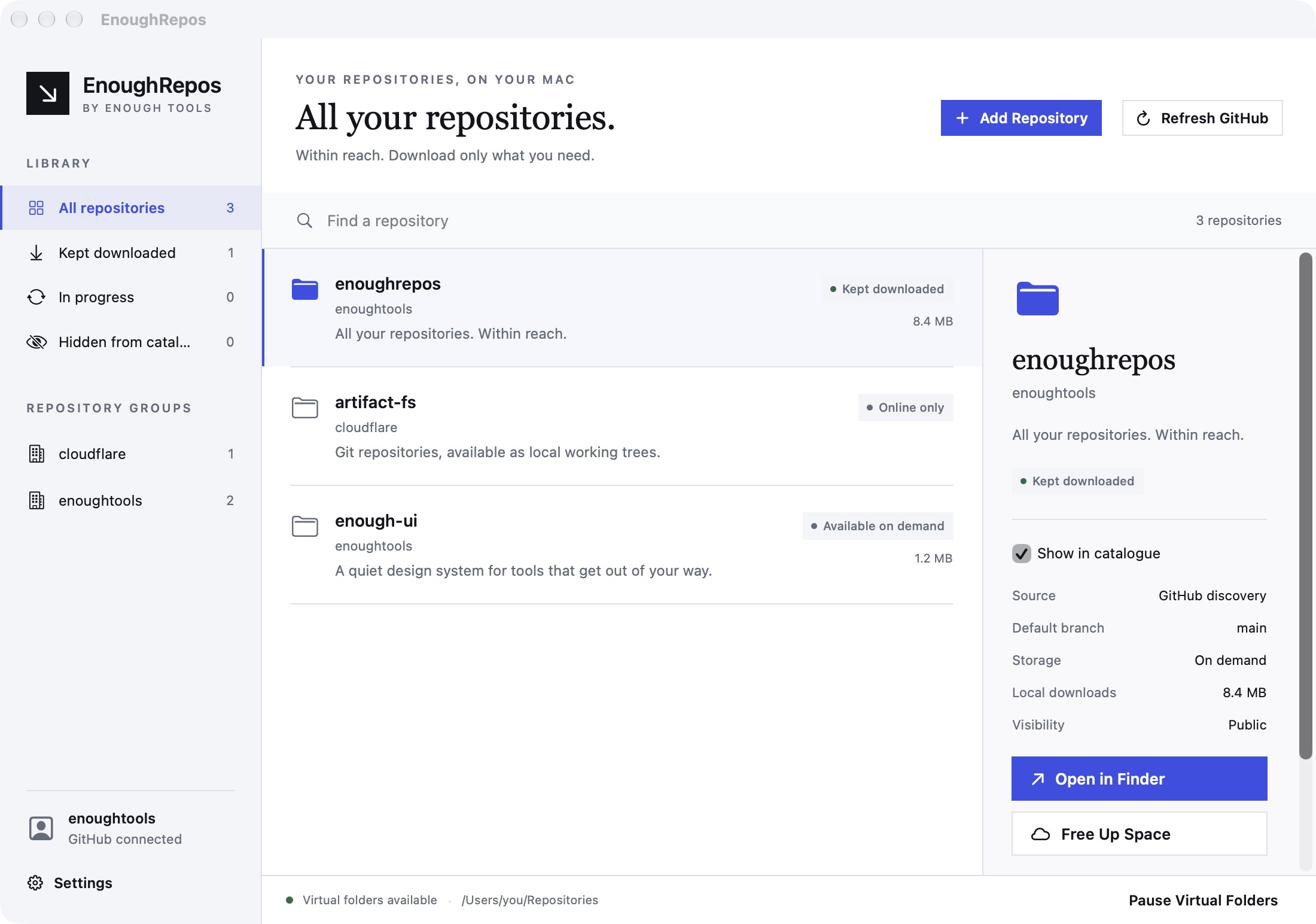
Choose your catalogue folder and which owners or repos appear. Open projects in Finder, your editor, or the terminal. Contents arrive as you need them.
Choose what stays.
Keep the current committed tree downloaded for offline work. Free up space when a project is safely recoverable from its source.
Your catalogue, your choices
Everything in view.
Only what you need on disk.
Choose which organizations and repositories appear in your folder, and see what you've kept downloaded.
Right where your repos are
Take care of it
in Finder.
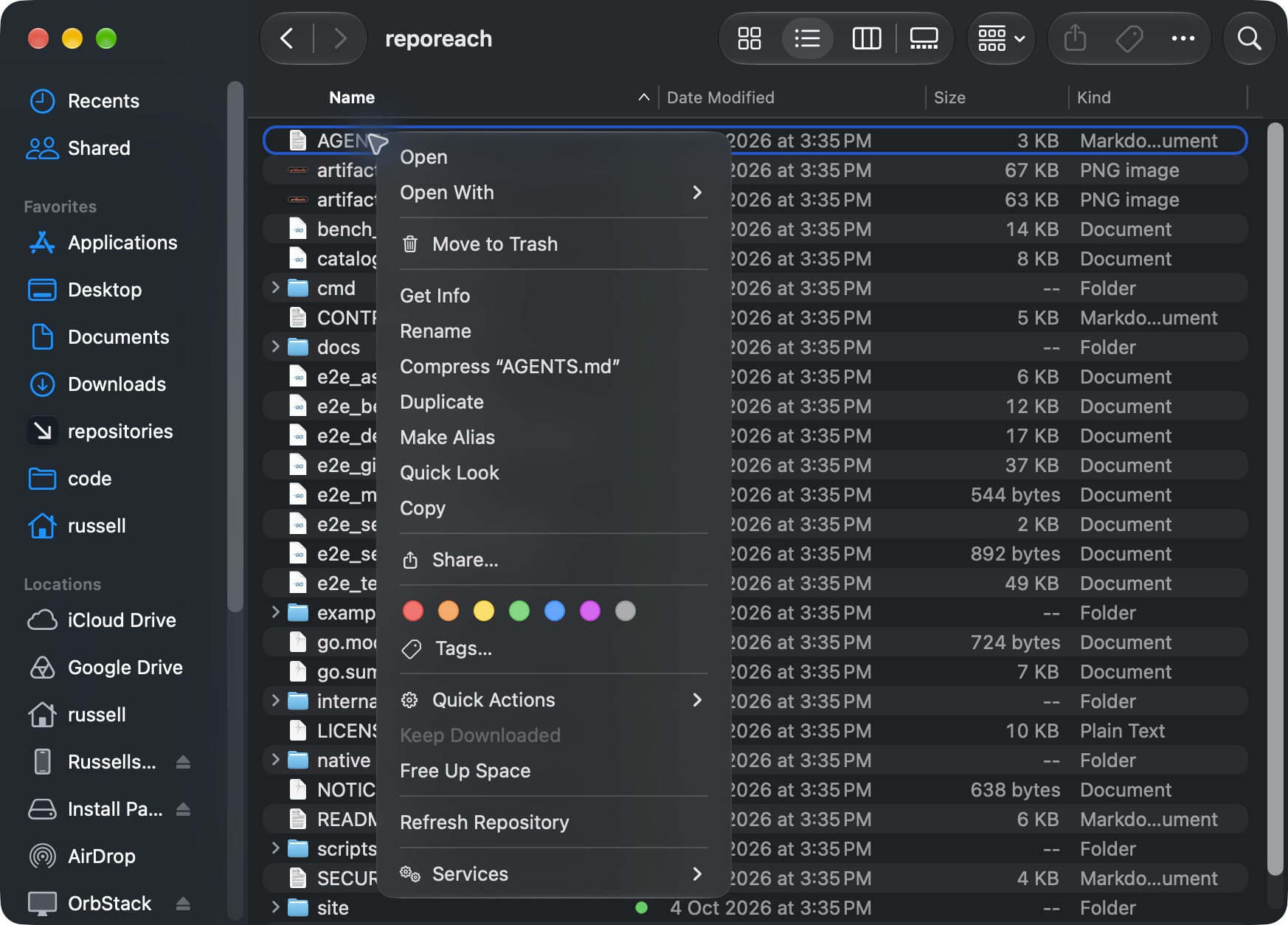
Right-click a repository to download it, free up space, or refresh it from its source. No need to open the app.
Start with the beta
A home for
every repository.
By Enough Tools, built on Cloudflare's ArtifactFS. Free to use, inspect, and contribute to.
Read the setup guideAn updated EnoughRepos beta is being prepared. Downloads will return after verification.
Requirements will accompany the verified download.
A few useful details
Before you move in.
Do I need a GitHub account?
No. Add an HTTPS or SSH Git remote, a local bare repository, or an existing checkout path. EnoughRepos uses your native Git credentials or SSH setup. Connect GitHub only if you want automatic discovery of the repositories you can access.
What happens to an existing checkout?
EnoughRepos adopts your existing checkout in place. Your folder, staged changes, local edits, and untracked files stay where they are, and the checkout keeps using native Git.
Are these real files?
They appear in Finder, your editor, and the terminal through a mounted filesystem. EnoughRepos downloads committed contents when needed; previews and file metadata checks can also trigger downloads. Edits live on your Mac and use ordinary Git commits and pushes.
What does Keep Downloaded mean?
Keep Downloaded turns a virtual repository into a normal local Git checkout that works even when EnoughRepos is quit. Other branches and historical file versions may still require a connection. The beta refuses submodules and checkout filters such as Git LFS.
Does it upload every file I save?
No. EnoughRepos preserves normal Git behavior. Saving a file changes your local work; committing and pushing remain explicit Git operations. Syncing or refreshing gets Git data from your chosen source; it does not automatically publish your saves.
Can I choose which repositories appear?
Yes. Switch off a repository or an owner to hide its folders and pause background downloads while retaining its data. Individual choices survive GitHub rediscovery, and turning an owner back on leaves individually disabled repos hidden. Close files and terminals in the catalogue before changing visibility.
How does Free Up Space protect my work?
EnoughRepos checks for local-only work before reclaiming a repository. If it finds edits, unpushed commits, stashes, or files that could be lost, it leaves the repository in place and explains what needs attention.
What does the beta need?
Requirements will accompany the verified download. Check the release notes before installing a build.